Understanding Tile Shade Variation: A Guide to V0–V4
A tile sample introduces you to a collection. Shade variation helps you understand how that collection may look across an entire surface.
Some tiles create a quiet, consistent backdrop. Others bring together different tones, textures, and patterns. Knowing the variation rating helps you choose the appearance you want before ordering.
What Is Tile Shade Variation?
Shade variation describes differences in color, tone, texture, or pattern between pieces of the same tile product.
These differences may be intentional, such as the changing patterns of stone-inspired porcelain. Manufacturing conditions can also affect the appearance of separate production batches. Aquabella explains both in its shade variation guide.
A higher V-rating describes greater visual variation—not lower quality.
Understanding the V0–V4 Scale
The Ceramic Tile Distributors Association's shade variation program describes V1 through V4. ANSI A137.1 also identifies V0, a monochromatic aesthetic class with a separate color-difference evaluation.
The following descriptions summarize the classifications in plain language. Sources: CTDA Color/Shade Variation Program, ANSI A137.1 preview, sections 9.3–9.4.
| Rating | Classification | What to Expect |
|---|---|---|
| V0 | Monochromatic | A highly uniform monochromatic appearance, rather than a promise that every piece is identical. |
| V1 | Uniform appearance | Minimal differences between pieces from the same production run. |
| V2 | Slight variation | Noticeable differences in texture or pattern within similar colors. |
| V3 | Moderate variation | A shared color palette, with significantly different amounts or distributions of color between pieces. |
| V4 | Substantial variation | Strong, random color differences; individual pieces may contain distinctly different colors. |


The V1–V4 icons Aquabella uses on its packaging and samples. Image: Aquabella.
Always read the manufacturer's description alongside the rating. Labels such as "low," "moderate," and "high" help explain the appearance, but the full product information provides better context.
Choosing the Look You Want
Use the rating as a design starting point:
- V0–V1: Consider these when you want a consistent surface with little visual movement.
- V2–V3: Consider these when you want differences in tone and pattern to add depth.
- V4: Consider this when contrast and individual tile character are central to your design.
These are aesthetic suggestions, not rules assigning particular ratings to rooms or applications.
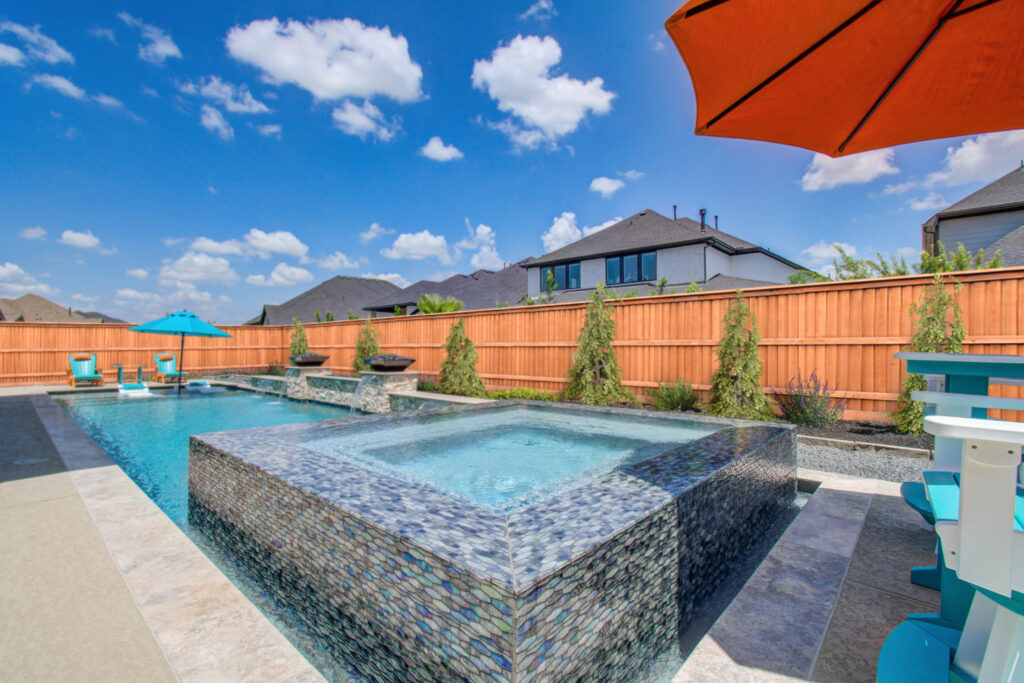
Aquabella's guide illustrates the range with collections including Beachfront at V2, Agate at V3, and Melange at V4. Confirm the rating of your selected product before ordering. Aquabella shade variation guide.

V1: Aquabella Unglazed Black 1×1. Pool by Coastline Pools.

V2: Aquabella Beachfront Crystal Cove 3×12. Pool by Medhawk Pools & Patio.

V3: Aquabella Agate Jasper 6×6. Pool by Supreme Pools & Spas.

V4: Aquabella Melange Indiano 6×6. Pool by Backyard Outfitters.
Photos: Aquabella shade variation guide.
What to Check Before You Order and Install
A V-rating tells you what kind of variation to expect. These five steps help you confirm the tile will look the way you want across the whole surface.
1Look beyond a single sample
One piece shows color direction, texture, and finish, but a varied collection may not fit its full palette or pattern range on a single tile.
- Ask to see several pieces, a representative range board, or photographs of a larger installation.
- For an important feature area, such as a spa or waterline, discuss a dry layout or mockup with your installer.
There's no fixed number of tiles you must review. The goal is to understand the visible variation before installation. Aquabella pool tile selection guide.
2Judge pool tile in pool conditions
Water, sunlight, depth, grout color, and surrounding materials all change how pool tile looks.
- Compare samples with your pool finish and coping.
- Expect glossy or iridescent mosaics to look more reflective in direct sunlight and more subdued in shade.
- Remember that wet tile can look different from a dry sample.
- Use installed photographs to understand the overall effect, allowing for differences in lighting and setting.
Aquabella: Why Pool Tile Looks Different After Installation.
3Check performance separately from the V-rating
A V-rating describes appearance only. It doesn't tell you whether a tile suits swimming pools, freezing climates, or walking surfaces, so read the application guidance and technical specifications as well.
For example, the Aloha glass mosaic collection is rated V3 for moderate variation, and its frost and chemical resistance are listed as separate characteristics. Aquabella Aloha specifications.
4Plan the complete order
The V-rating doesn't guarantee that tiles from separate production runs will match, and manufacturing changes can cause batch differences.
- Plan the full quantity with your installer, including an allowance for cuts, waste, and future repairs.
- Tile ordered later may come from a different production run.
Aquabella shade variation guide.
5Inspect delivered tile before it's cut or installed
- Check the shade or lot markings on your cartons.
- Lay out pieces from several cartons to see the overall balance of tones and patterns.
- Discuss the arrangement with your installer and follow the product's installation instructions.
- If the tile differs unexpectedly from the range you approved, contact your supplier before installation goes ahead.
Samples may differ from delivered material, and Aquabella's terms require inspection before installation. Aquabella product policies.
Choose a Range You'll Enjoy
Pick a collection whose full range you like, not just one favorite piece. Then review the delivered material and planned layout with your installer before the first tile is set.